Free Frankie
Answers frequently asked questions and shares business hours through a simple customer-facing front door.
Open product page →Albany Automations / FrankieFam software suite
FrankieFam is an operational business software suite designed to carry the real operating record from lead generation and customer intake through scheduling, dispatch, field execution, payment, documentation, follow-through and management visibility.
Jamie Lynn Services is the umbrella company. Albany Automations owns the FrankieFam Software Suite intellectual property.
01 / What the suite can run
FrankieFam is not a row of disconnected assistants. It is a family of configured software responsibilities that can share the same business context, operating history and exception paths.
The operating idea
Capture what arrives, assign the next responsibility, record what happened, and make the next human or system response clear.
Customer needs become operating knowledge. New roles and tools can be added as real needs emerge.
CRM, lead generation, customer intake, an owned public presence, email marketing, review capture, customer nurture, service information and approved proof from completed jobs.
Service planning, scheduling, dispatch, routing, route rescue, labor planning, GPS and job visibility, field execution, parts ordering, supplier activity, inventory, staging and scan-driven process paths.
Customer consent, payments, receipts, mileage, vehicle readiness, equipment records, maintenance history, financial and documentation readiness, HR, training, dashboards, planning and management visibility.
Try the free FAQ-and-hours chatbot, give real-user feedback, and see how a front door can lead into more advanced FrankieFam configuration when the business is ready.
Answers frequently asked questions and shares business hours through a simple customer-facing front door.
Open product page →Guides a visitor through the information a business needs to receive, organize and route a form submission.
Open product page →Holds a useful opening conversation, gathers contact context and helps a visitor reach the right next step.
Open product page →Businesses can provide their information through an intake form and receive free-forever subdomain hosting as a practical starting point for an owned public presence.
Open product page →A GPT, Qwen2.5, Llama 3 and DeepSeek-R1 AI instance for organized work, exploration and configured business use.
Open product page →A family context companion for reminders, memories, schedules and the small details that help a household show up with context.
Open product page →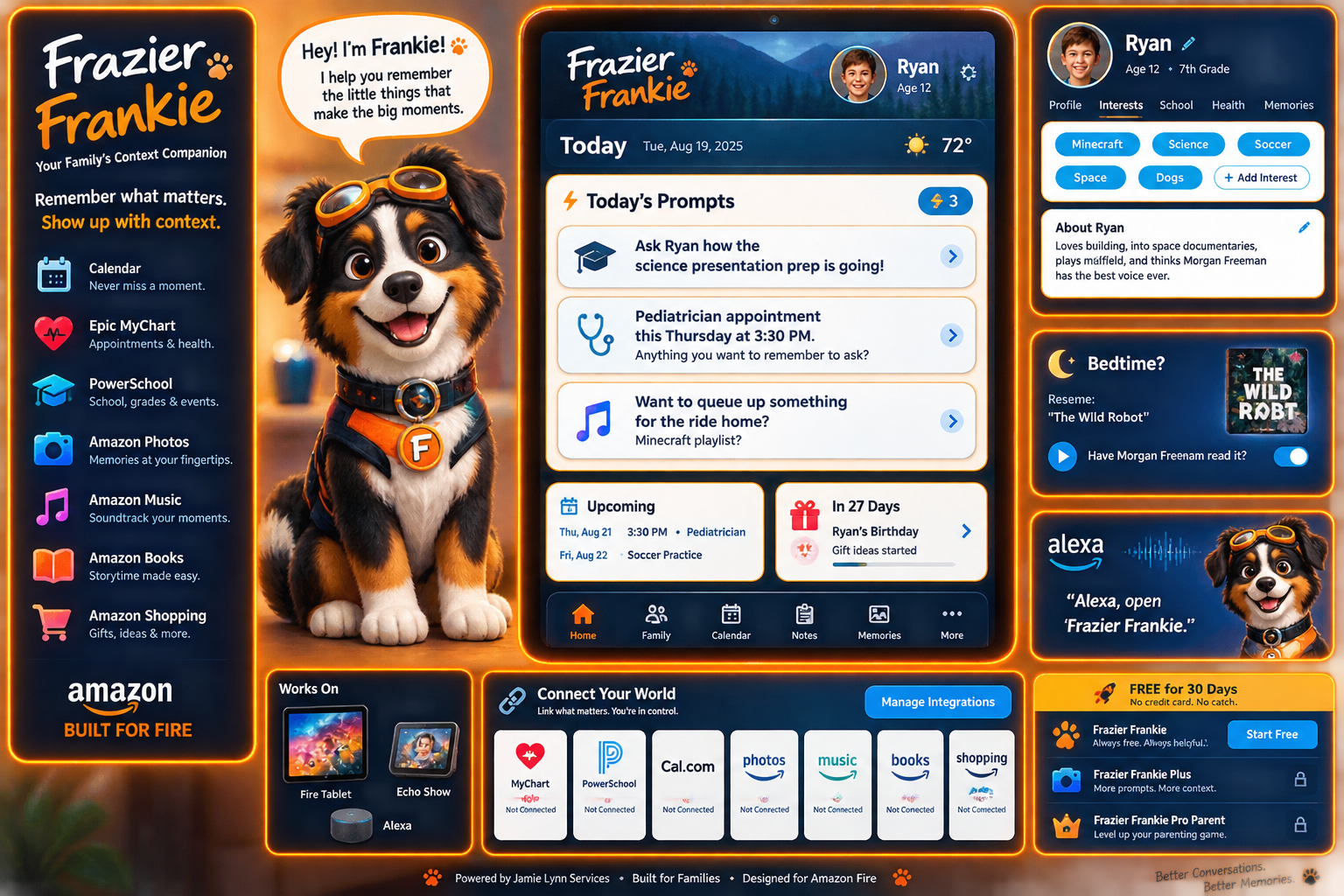
02 / The public-presence department
Businesses paying for this department should not also need a traditional standalone SEO or content-retainer relationship for the work the team is designed to perform.
Coordinates the public-presence and customer-growth department, turning the business's real activity into a useful publishing and follow-through system.
Supports real-work documentation and reusable source material from completed jobs, approved images, service information and team activity.
Supports the documentation record so completed work can become service depth, stories, proof and customer communication.
Handles social-media activity and approved publishing tied to real business activity.
Handles Reddit and community-specific participation, monitoring and human escalation where judgment is required.
03 / The connected job
From first contact to the next public proof, FrankieFam can keep the business from asking the owner to rebuild the same story in five disconnected systems.
Lead generation, owned public presence, CRM and customer intake preserve what the customer asked for.
Service planning, capacity, scheduling and labor needs become one visible commitment.
Routing, GPS/job visibility and route rescue support the day when the plan changes.
Mack and configured device workflows record field work, parts, consent, payments, mileage and completion risk.
Ann, equipment records, maintenance history, receipts, job folders and dashboards preserve what the work means.
Peg's department turns approved activity into public proof, email follow-through, review capture and customer nurture.
04 / Software identity and responsibility
These identities are responsibilities inside one operational suite. Exact scope is configured around the customer's operation.
Distinct customer-facing operational role.Scope follows the approved/current workflow.
Business knowledge, context and memory across leads, sales, service knowledge, scheduling, routing, route rescue, owner visibility and historical operating context.
Field-technician and crew operating role for travel, time on job, route execution, parts, suppliers, inventory movement, consent, payments, voice-to-work translation, receipts, mileage, GPS, completed jobs and scan-driven confirmation when configured.
Documentation and operational records for financial records, job folders, job codes, expenses, billing, payroll records, credit accounts, vehicle maintenance, training records, NDAs, disclosures and accounting handoff.
CRM and lead-generation role for lead generation, customer relationships, email marketing, sales opportunities and correct relationship routing across the suite.
Office manager and central operations coordinator for communication, planning, scheduling, routing, route rescue, dashboards, service metrics, labor, revenue needs, profit/loss visibility and completion-risk action plans when configured.
HR role for injury information and surveys, disability-date reminders, insurance contacts, employment records, dates, offers, terminations, wage statements and authorized document generation. Megan is not legal counsel.
IT support and security-related operational support for the configured business environment.
Onboarding, learning, training sequences and knowledge transfer.
Operations specialist. Responsibilities are defined with the approved customer workflow.
05 / Data, context and maintenance
FrankieFam can retain structured operational history so the system can understand what has happened, what is due, what is at risk and what the business has learned.
06 / Custom software and custom devices
Jamie Lynn Services can develop custom software around a defined workflow and the appropriate device. The workflow belongs to the software and process, not to one specific physical scanner.
Integrated Zebra scanner applications for warehouse, fulfillment, staging and inventory paths.
A handheld Bluetooth scanner paired with an iPhone or Android phone can send the same approved scan events.
The same app and process logic can react to scan events from a paired computer.
Android apps, iPhone apps, browser/desktop applications, printers, payment devices and label-generation workflows.
07 / Example workflow
A customer may use an integrated Zebra handheld, a Bluetooth scanner paired with an iPhone, Android phone or computer, and the same app/process logic can respond to the scan events.
08 / Start with the workflow
The right FrankieFam configuration starts with the real operation: what arrives, who owns it, where it stalls, which device is available, and what the owner needs to see.
Ask about custom roles, custom software, custom device workflows or a connected business operating system built around your process.
09 / Guided partner services
FrankieFam includes practical guided experts for the partner services that support the operating system. Each specialist explains setup, handoffs and next actions in the language of the tool.
Guided automation setup for connecting business events, notifications and repeatable workflows.
Open guided expert →Guided hosting setup for getting a working website, domain structure and publishing path online.
Open guided expert →Guided email and mobile-text setup for follow-through, reminders and customer communication.
Open guided expert →Guided form setup for collecting structured information and routing it into the next useful responsibility.
Open guided expert →Guided calendar setup with an integrated AI scheduling path for turning interest into a clear appointment.
Open guided expert →